
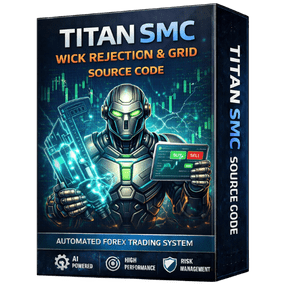
Titan SMC Source Code – Smart Money Concept EA Development Framework
Titan SMC Source Code is a powerful trading system framework built on Smart Money Concepts (SMC), designed for developers and advanced traders who want full control over building institutional-style trading algorithms.
What is Titan SMC Source Code?
Titan SMC Source Code provides complete access to a structured Expert Advisor built around smart money logic. It allows you to study, modify, and expand a system that focuses on how institutions move the market.
Instead of using a fixed EA, you can:
- Customize SMC strategies
- Modify entry and exit logic
- Add advanced filters
- Build your own trading models
Core SMC Trading Logic
The system is based on key Smart Money Concepts, including:
- Market structure (Break of Structure / Change of Character)
- Liquidity zones and sweeps
- Order blocks and demand/supply areas
- Precision entry and exit timing
This approach focuses on following institutional flow instead of retail patterns.
Key Features
- Full Source Code Access (MQ4 / MQ5)
- Smart Money Concept-Based Logic
- Modular & Clean Code Structure
- Advanced Strategy Customization
- Built-in Risk Management System
Customization Capabilities
With Titan SMC Source Code, you can:
- Modify SMC rules (BOS, CHoCH, OBs)
- Adjust risk and lot sizing
- Add indicators or confirmations
- Optimize for different pairs or timeframes
- Create multiple EA variations
Risk & Money Management
The system includes strong risk control features:
- Dynamic lot sizing
- Stop loss & take profit logic
- Drawdown protection
- Trade filtering system
This ensures better account protection while trading.
Who is this for?
Titan SMC Source Code is ideal for:
- EA developers
- Advanced forex traders
- SMC strategy users
- Freelancers building custom bots
Platform Compatibility
- Supports MT4 & MT5
- Works on Demo & Live accounts
Technical Details
- Type: Source Code (EA Framework)
- Name: Titan SMC Source Code
- Strategy: Smart Money Concepts (SMC)
- Language: MQL4 / MQL5
- Usage: EA Development & Customization
Installation & Setup
Steps:
- Open MetaEditor
- Import source file (.mq4 / .mq5)
- Review and customize logic
- Click Compile
- Open MetaTrader
- Attach EA to chart
- Enable AutoTrading
Reviews
There are no reviews yet.