
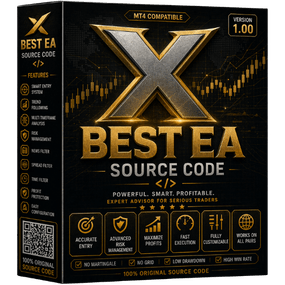
X Best EA – Ultimate Smart Automated Trading System
X Best EA is a powerful all-in-one automated trading system designed for traders who want precision, stability, and consistent performance. Built with advanced logic, it combines multiple trading approaches to deliver reliable results across different market conditions.
What is X Best EA?
X Best EA is a fully automated Expert Advisor that:
- Opens trades automatically
- Applies Stop Loss (SL) and Take Profit (TP)
- Manages trades without manual input
It removes emotional trading and ensures structured, rule-based execution.
How It Works
The EA continuously scans the market by analyzing:
- Price action behavior
- Trend direction and strength
- Market momentum
- Volatility conditions
When conditions align, it:
- Executes trades instantly
- Manages positions automatically
- Closes trades based on strategy rules
Trading Strategy Overview
X Best EA focuses on:
- Multi-strategy trading logic
- High-probability trade setups
- Adaptive market execution
- Consistent performance
It is designed to perform across trending and volatile market conditions.
Key Features
- Fully Automated Trading System
- Multi-Strategy Smart Logic
- Built-in SL & TP Management
- Real-Time Market Monitoring
- Optimized for Stability & Performance
Risk & Money Management
The EA includes strong safety features:
- Adjustable lot sizing
- Stop Loss & Take Profit
- Trade filtering system
- Controlled drawdown approach
This ensures balanced growth and capital protection.
Best Use Conditions
For optimal performance:
- Use on Forex major pairs & Gold (XAUUSD)
- Works well on M5 – H1 timeframes
- Use a low-spread broker
- VPS recommended for stable execution
Platform Compatibility
- Works on MT4 / MT5
- Supports Demo & Live accounts
- Easy installation and setup
Technical Details
- Type: Expert Advisor (EA)
- Name: X Best EA
- Trading Style: Automated / Multi-Strategy
- Execution: Fully Automated
- Platforms: MT4 / MT5
Installation Guide
- Open MetaTrader
- Click File → Open Data Folder
- Go to MQL4/MQL5 → Experts
- Paste EA file
- Restart platform
- Attach EA to chart
- Enable AutoTrading
Reviews
There are no reviews yet.