
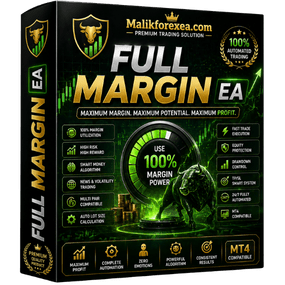
Full Margin EA – High-Exposure Automated Trading System
Full Margin EA is an aggressive automated trading system designed for traders who want maximum market exposure, fast growth potential, and high-impact performance. Built for advanced users, it utilizes full margin capacity to capture strong market opportunities.
What is Full Margin EA?
Full Margin EA is a fully automated Expert Advisor that:
- Uses a large portion of available margin
- Opens trades automatically
- Applies Stop Loss (SL) and Take Profit (TP)
- Manages trades without manual input
It removes emotional trading and ensures rule-based execution under high exposure conditions.
How It Works
The EA continuously scans the market by analyzing:
- Price action behavior
- Trend direction
- Market momentum
- Volatility conditions
When strong setups appear, it:
- Executes trades using higher margin allocation
- Manages positions automatically
- Closes trades based on strategy logic
Trading Strategy Overview
Full Margin EA focuses on:
- High-exposure trading
- Aggressive growth strategies
- High-impact trade setups
- Fast execution
It is designed for traders who aim for rapid account growth with higher risk tolerance.
Key Features
- Fully Automated Trading System
- High Margin Utilization
- Built-in SL & TP Management
- Real-Time Market Monitoring
- Optimized for Aggressive Trading
Risk & Money Management
⚠️ This EA is high risk by design and includes:
- Adjustable lot sizing
- Stop Loss & Take Profit
- Trade filtering system
However, due to high margin usage, it requires:
- Careful risk control
- Proper account management
- Experienced handling
Best Use Conditions
For optimal performance:
- Use on Forex pairs & Gold (XAUUSD)
- Works best on M1 – M15 timeframes
- Use a low-spread broker
- VPS strongly recommended
Platform Compatibility
- Works on MT4 / MT5
- Supports Demo & Live accounts
- Easy installation and setup
Technical Details
- Type: Expert Advisor (EA)
- Name: Full Margin EA
- Trading Style: Aggressive / High Exposure
- Execution: Fully Automated
- Platforms: MT4 / MT5
Installation Guide
- Open MetaTrader
- Click File → Open Data Folder
- Go to MQL4/MQL5 → Experts
- Paste EA file
- Restart platform
- Attach EA to chart
- Enable AutoTrading
Reviews
There are no reviews yet.