
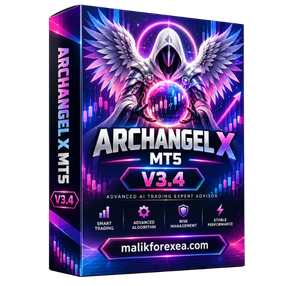
Archangel X v3.4 MT5: Automated Forex and Gold Trading Expert Advisor
Archangel X v3.4 MT5 is an automated Expert Advisor designed for traders who want to automate their trading activities through MetaTrader 5. The EA is associated with Forex and gold markets and is described by current product listings as using algorithmic market analysis, technical indicators, volatility analysis, and automated risk-management functions. (FinTechEA)
Archangel X v3.4 is available in different third-party packages, and specifications can vary between versions. Some listings identify XAUUSD, EURUSD, and GBPUSD as supported instruments, while others also mention USDJPY or broader symbol compatibility. Timeframe recommendations also vary, so users should verify the exact package and settings they have before running the EA on a live account. (FinTechEA)
What Is Archangel X v3.4 MT5?
Archangel X v3.4 MT5 is a software-based trading robot that operates through MetaTrader 5. Once installed on a compatible chart and given permission to trade, it can monitor market conditions and automatically execute and manage positions according to its programmed logic.
The EA is intended to reduce the amount of manual work required from a trader. Instead of continuously watching charts and manually looking for potential setups, the software can analyze the market while MetaTrader 5 remains active.
Some product descriptions characterize Archangel X as using algorithmic logic, trend identification, volatility analysis, and dynamic risk management. (FinTechEA)
Key Features of Archangel X v3.4 MT5
1. MetaTrader 5 Compatibility
Archangel X v3.4 is designed for MetaTrader 5, one of the widely used platforms for automated Forex trading.
The EA can be installed in the MT5 Expert Advisors directory and attached to a supported trading chart. Traders can then configure the available parameters according to their account and trading requirements.
2. Forex and Gold Trading
Current listings associate Archangel X v3.4 with several Forex pairs and gold.
One product listing specifies:
- XAUUSD
- GBPUSD
- EURUSD
Another listing also mentions USDJPY alongside these markets. (FinTechEA)
Some other sellers describe the EA as compatible with any available symbol. Because these descriptions are not completely consistent, traders should verify the exact symbols supported by their particular build before starting live trading.
3. Automated Trading
The main purpose of Archangel X is automation.
Once properly configured, the EA can monitor market conditions, identify potential trading conditions, open positions, and manage existing trades without requiring the trader to manually execute every transaction.
This can be useful for traders who prefer systematic execution rather than manually monitoring the market throughout the trading session.
4. Trend Analysis
Archangel X is described as using trend identification as part of its market-analysis process. (FinTechEA)
Trend analysis attempts to determine the broader direction of price movement. For example, the system may evaluate whether market conditions are showing stronger bullish or bearish characteristics before considering a trade.
However, trends can change quickly, especially in Forex and gold markets. Trend-based analysis should therefore not be considered a guarantee that the next price movement will continue in the same direction.
5. Volatility Analysis
Volatility is particularly important when trading XAUUSD.
Gold can experience large price movements during economic announcements, changes in interest-rate expectations, geopolitical events, and periods of increased market activity.
Archangel X is described as using volatility analysis to adapt its trading logic to different market conditions. (ShopForexEA.com)
6. Automated Trade Management
The available descriptions mention configurable trade-management functions such as stop loss, take profit, trailing stop, and risk controls. (Forex Tool Store)
These features can help traders define how positions should be managed after an entry.
The actual settings available will depend on the specific v3.4 build and package.
Archangel X v3.4 and Trading Logic
There are differences between third-party descriptions of the strategy.
Some product pages describe Archangel X as a structured technical-analysis system that does not use traditional martingale or grid methods. (ShopForexEA.com)
Other reviews describe sequence-based trade management and dynamic spacing that can resemble grid-style exposure under certain settings. (MQL5Cracked)
Because of this difference, traders should not assume that every Archangel X v3.4 package behaves identically.
Before using the EA, inspect the actual input parameters, maximum-order settings, lot-sizing rules, and position-management logic supplied with your version.
Timeframe
Published specifications for Archangel X v3.4 vary.
One listing recommends M5 to M30, while another version lists M5 and M15. A separate product page states that the EA can operate on any timeframe. (FinTechEA)
Therefore, there is no single timeframe that should automatically be assumed for every copy of the EA.
The recommended timeframe should be taken from the documentation or preset provided with your specific version.
Risk Management
Risk management is one of the most important considerations when using an automated trading system.
Depending on the version, Archangel X may provide controls for:
- Lot size
- Risk percentage
- Maximum trades
- Stop loss
- Take profit
- Trailing stop
- Trading hours
- Spread protection
- Slippage protection
- Drawdown control
These features are intended to give traders greater control over the amount of exposure created by the EA. (Forex Tool Store)
However, having risk controls does not eliminate the possibility of losses.
Gold and Forex markets can move rapidly, and automated systems may experience increased drawdown during unusual market conditions.
Technical Specifications
| Specification | Details |
|---|---|
| EA Name | Archangel X v3.4 |
| Platform | MetaTrader 5 |
| Version | v3.4 |
| Main Markets | Forex and Gold |
| Common Pairs | XAUUSD, EURUSD, GBPUSD |
| Additional Pair | USDJPY on some versions |
| Timeframe | M5-M30 or version-dependent |
| Trading Type | Automated |
| Strategy | Algorithmic market analysis |
| Market Analysis | Trend and volatility |
| Risk Management | Version-dependent |
| File Type | EX5 |
| DLL | Depends on specific build |
| VPS | Recommended |
Current product listings specifically differ on DLL requirements. Some advertise a DLL build, while another v3.4 listing identifies itself as NoDLL. Always verify the exact file you have before changing MetaTrader 5 security settings. (FinTechEA)
How to Install Archangel X v3.4 MT5
To install the EA:
- Open MetaTrader 5.
- Select File → Open Data Folder.
- Open the MQL5 directory.
- Open the Experts folder.
- Copy the Archangel X EA files into the folder.
- Restart MetaTrader 5 or refresh the Navigator.
- Find Archangel X under Expert Advisors.
- Open the desired trading chart.
- Attach the EA to the chart.
- Configure the available settings.
- Review the risk and lot-size parameters.
- Enable automated trading.
If your particular package requires DLL functionality, follow the supplied installation instructions and enable DLL imports only when you trust the software and understand the permission being granted.
Using a VPS
A VPS can be useful for running Archangel X continuously.
An automated Expert Advisor requires MetaTrader 5 to remain active and connected to the broker. If a computer shuts down or loses its internet connection, the EA may stop operating.
A VPS provides a continuously running environment for MT5 and can help reduce interruptions.
It is important to remember that a VPS improves availability, not trading performance.
Demo Testing
Before running Archangel X v3.4 with real money, traders should test it on a demo account.
Testing can help determine how the EA behaves with a particular broker, spread, leverage, account type, and execution environment.
During testing, traders can monitor:
- Number of trades
- Lot sizes
- Maximum drawdown
- Floating exposure
- Stop-loss behavior
- Take-profit behavior
- Trade frequency
- Spread sensitivity
- Execution speed
Backtesting can also provide historical information, but historical performance cannot guarantee future results.
Final Thoughts
Archangel X v3.4 MT5 is an automated Expert Advisor designed to help traders automate Forex and gold trading through MetaTrader 5. Current product descriptions highlight algorithmic trading logic, trend analysis, volatility analysis, automated execution, and configurable trade-management features. (FinTechEA)
Because different sellers provide different specifications for the v3.4 version, traders should carefully verify the exact supported pairs, timeframe, DLL requirements, settings, and risk controls included with their particular package.
The EA can provide an automated framework for market monitoring and trade execution, but automation does not remove market risk. Proper testing, sensible position sizing, and careful monitoring remain important.
Financial Disclaimer: Forex and gold trading involve significant financial risk. Expert Advisors can generate losing trades and experience periods of drawdown. Historical results, backtests, reviews, or advertised performance do not guarantee future results. Always test automated trading software on a demo account before considering live trading and use responsible risk management.
Reviews
There are no reviews yet.