
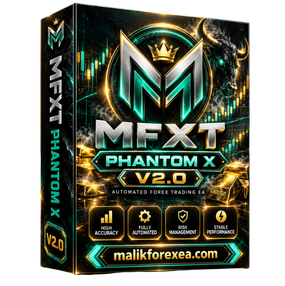
MFXT PHANTOM X MT5 v2.0 is an automated Expert Advisor marketed for gold trading on MetaTrader 5. Available product listings describe it as a trend-following system for XAUUSD that combines volatility filtering, trend confirmation, and automated trade management. The commonly advertised setup uses the M5 chart, although another listing identifies M15 as a parameter-reference timeframe, so traders should confirm the correct configuration for their specific package.
For more automated trading tools and Forex resources, visit MalikForexEA.com.
What Is MFXT PHANTOM X MT5 v2.0?
MFXT PHANTOM X MT5 v2.0 is designed to automate trade analysis and execution rather than require the trader to enter every order manually. The vendor’s website identifies PHANTOM X as its current gold-trading engine, while third-party listings describe the MT5 version as focused on XAUUSD.
The EA is promoted as a selective trading system: it uses technical filters to assess market conditions and may avoid entering trades when its criteria are not satisfied. Its advertised tools include ATR-based volatility filtering, ADX trend-strength confirmation, moving-average alignment, news filtering, and internal trailing-stop management. These details come primarily from reseller descriptions and should be verified against the actual EA inputs and documentation
An important distinction: marketing terms such as “AI-powered,” “high-probability,” or “stable performance” do not independently establish profitability. The EA should be evaluated through transparent testing and realistic broker conditions.
MFXT PHANTOM X MT5 v2.0 – Technical Specifications
| Specification | Available listing details |
|---|---|
| EA name | MFXT PHANTOM X MT5 v2.0 |
| Platform | MetaTrader 5 |
| Primary market | Gold (XAUUSD) |
| Commonly advertised timeframe | M5 |
| Alternative reference timeframe | M15 appears in one reseller listing |
| Trading style | Trend following |
| Volatility filter | ATR |
| Trend confirmation | ADX and moving averages |
| News filter | Advertised |
| Trade management | Trailing-stop and adaptive TP features advertised |
| Set files | Low-, medium-, and high-risk presets advertised by one reseller |
| Suggested starting capital | Some sellers recommend $500; this is not a guarantee of suitability |
Sources: product listings from EA FX Store and other third-party sellers. These specifications are not all independently verified.
Important market detail: MFXT’s own website says PHANTOM X trades gold and EUR/USD, while several resellers describe the MT5 v2.0 package as gold-focused. Confirm which symbols your particular version supports before running it.
Key Features of MFXT PHANTOM X MT5 v2.0
1. ATR volatility filtering
The Average True Range (ATR) measures how much an instrument has been moving. The reseller documentation describes an ATR filter that can block entries when volatility is below a configured threshold.
This may help the strategy avoid some low-activity conditions, but volatility filtering cannot predict every market reversal or news-driven spike.
2. ADX trend-strength confirmation
The Average Directional Index (ADX) measures trend strength rather than direction. The product listing describes a minimum ADX threshold before trades are permitted.
A strong ADX reading alone does not guarantee that the next price movement will be profitable.
3. Triple EMA alignment
A reseller describes a trend filter using EMA 10, EMA 50, and EMA 200. In the stated bullish configuration, the fast EMA is above the medium EMA, which is above the slow EMA.
This is a conventional trend-following approach. In sideways markets, moving averages can repeatedly cross and produce misleading signals.
4. News-event filter
The advertised configuration includes pausing new trades around high-impact economic events, with a stated example of 30 minutes before and 30 minutes after news.
Confirm whether the filter works automatically with your installed version and whether it requires a calendar connection or other configuration. A news filter may also fail to prevent losses caused by unexpected announcements or rapid changes in spreads.
5. Automated lot sizing and drawdown controls
The reseller documentation describes automatic lot sizing, configurable drawdown controls, and a manual drawdown setting. It also lists internal trailing-stop management and adaptive take-profit behavior.
These options can help structure risk management, but the EA’s actual behavior depends on the settings, broker, account leverage, and execution conditions.
Performance Claims: What Should You Check?
Some third-party product pages display impressive growth and backtest figures. Those figures should be treated as seller-reported claims, not a prediction of your future returns.
Before purchasing or running MFXT PHANTOM X MT5 v2.0, check:
-
Whether the performance record belongs to the same version and settings you will use.
-
Whether the record is live or simulated, and whether it can be independently inspected.
-
Maximum equity drawdown, not just balance drawdown.
-
Whether deposits, withdrawals, and trading history are visible.
-
Whether the strategy remains profitable after spread, commission, and slippage.
-
How it behaves during losing streaks and sudden gold-price movements.
MFXT’s official website says its public channel shares robot trade histories, including losses, and links to a Myfxbook-tracked account. Review the actual record rather than relying on screenshots or advertised percentages.
How to Install MFXT PHANTOM X MT5 v2.0

Step 1: Open MetaTrader 5
Launch MT5 and log in to your broker account. Obtain the EA file and any supplied preset files from a legitimate seller.

Step 2: Copy the EA file
Choose File → Open Data Folder, then open MQL5 → Experts. Copy the supplied .ex5 file into this folder.

Step 3: Refresh the Navigator
Restart MT5 or refresh the Expert Advisors list. Locate MFXT PHANTOM X and attach it to a chart supported by your package.

Step 4: Configure the settings
Review the lot-size mode, risk profile, stop loss, news filter, and trading symbol. Load a supplied .set file only if it matches your account and version.

Step 5: Backtest and forward-test
Use MT5 Strategy Tester with realistic trading costs, then run the EA on a demo account. Check its journal and actual order behavior before considering live trading.
For platform instructions, visit the official MetaTrader 5 help documentation.
Recommended Risk Management
There is no setting that makes MFXT PHANTOM X MT5 v2.0 risk-free. Consider the following safeguards:
-
Start with a demo account. Verify entries, exits, and drawdown before using real money.
-
Use conservative risk. If percentage-based risk is available, test a small amount, such as 0.25%–0.5% of equity per trade.
-
Verify the minimum lot size. Gold contract specifications differ between brokers; do not copy a lot size from another account without checking.
-
Check spreads and commissions. Backtest results can deteriorate when actual trading costs are higher than the test assumptions.
-
Review news settings. Make sure the news filter is functioning as intended.
-
Monitor equity drawdown. A profitable balance history can hide substantial unrealized losses.
-
Avoid unverified files. Use reputable sources and be cautious with executable files, unknown DLL requirements, or requests to disable security protections.
Advantages and Limitations
| Potential advantages | Limitations |
|---|---|
| Automates trade execution | Cannot guarantee profits |
| Uses advertised trend and volatility filters | Exact implementation is not independently confirmed |
| Offers advertised trade-management options | Internal stops may not be visible to the broker |
| Preset files may simplify setup | Presets may not suit every broker or balance |
| Public performance information is advertised by the brand | Results must be checked for authenticity and relevance to your version |
Frequently Asked Questions
What is MFXT PHANTOM X MT5 v2.0?
It is an automated Expert Advisor marketed for MetaTrader 5, with gold trading and trend-following filters described in its product listings.
Which timeframe should I use?
M5 is commonly advertised for this version, while another listing provides M15 as a reference timeframe. Check the documentation supplied with your exact package before selecting the chart.
Does it support automatic trading?
The product is marketed as a fully automated EA. Its ability to place trades depends on correct installation, supported account conditions, and MT5’s algorithmic-trading settings.
Does MFXT PHANTOM X guarantee profits?
No. All automated trading strategies can lose money. Past results, backtests, and screenshots cannot guarantee future performance.
Is $500 enough to run the EA?
Some third-party listings recommend $500, but that figure does not establish that the EA is safe or suitable for a particular trader. The appropriate capital depends on contract size, leverage, lot sizing, drawdown tolerance, and broker requirements.
Where can I find more Forex trading tools?
Explore more Expert Advisors and trading resources at MalikForexEA.com.
Conclusion
MFXT PHANTOM X MT5 v2.0 is marketed as an automated trend-following EA featuring ATR volatility filtering, ADX confirmation, EMA alignment, news protection, and automated trade management. It may interest traders seeking to automate gold-market strategies, but the precise features and supported settings should be confirmed for the version being offered.
Backtest the EA with realistic costs, verify its performance record, and forward-test it on a demo account before using real funds.
Financial disclaimer: This article is for educational and informational purposes only and is not financial advice. Forex and gold trading carry substantial risk, including the potential loss of all invested capital. Never trade money you cannot afford to lose.
Reviews
There are no reviews yet.