
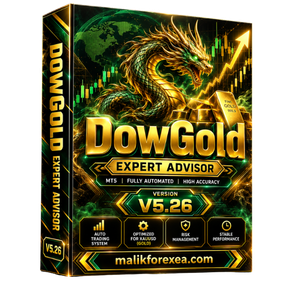
DowGold EA MT5 v5.26 Review, Features & Settings
The official DowGold announcement identifies these changes in version 5.26:
-
Improved connection to the developer’s cloud servers.
-
Default risk mode changed to Conservative.
-
Updated user guide with clearer explanations of inputs and risk profiles.
-
Chart panel displays drawdown-protection status, daily profit and loss, and the expected initial lot size.
-
Drawdown protection can close open trades when configured limits are reached, followed by a 24-hour trading pause.
The announcement also warns that the strategy may become more aggressive. Save your preset before updating, and install the update only when there are no open trades.
DowGold EA MT5 v5.26 – Technical Specifications
| Specification | Details |
|---|---|
| EA name | DowGold EA MT5 v5.26 |
| Platform | MetaTrader 5 |
| Main instruments | XAUUSD (Gold), US30 (Dow Jones) |
| Additional instrument | Silver, depending on configuration |
| Trading approach | Momentum, volatility and trend-based analysis |
| Strategy connection | Cloud-connected analysis |
| Risk modes | Conservative, Balanced, Aggressive, Flip and Fixed Lot options described in product documentation |
| News and session filters | Advertised by the developer |
| Drawdown protection | Configurable daily and overall limits |
| VPS | Recommended for continuous operation |
| Installation requirements | EA file, supporting library files and a valid license |
The specifications above combine the developer’s current documentation with the official v5.26 release announcement. The current website may describe newer releases, so not every present-day feature should automatically be attributed to v5.26.
Key Features of DowGold EA MT5 v5.26
1. Cloud-connected trading analysis
DowGold’s developer explains that its cloud service evaluates market momentum, volatility, news and trading-session conditions. The EA installed in MetaTrader 5 receives the analysis and manages orders on the user’s own broker account.
This differs from a fully self-contained EA whose strategy is entirely embedded in its local code. It also means a stable internet connection and working access to the developer’s services are important.
2. Gold and Dow Jones trading
DowGold is designed for XAUUSD and US30. Gold and the Dow Jones index have different volatility patterns, contract specifications and margin requirements, so their risk settings should not be assumed interchangeable.
The developer also documents an optional Silver strategy. Check the version and license you have before enabling additional instruments.
3. Multiple risk modes
The developer describes several modes for different trading objectives:
-
Conservative: lower exposure, and the default mode announced for v5.26.
-
Balanced: intended for a middle ground between exposure and growth.
-
Aggressive: higher exposure intended for faster account growth.
-
Flip: the most aggressive lot-sizing approach, intended for short runs.
-
Fixed Lot: allows the trader to specify a lot size.
These labels describe intended risk profiles, not guaranteed outcomes. The Flip mode in particular can produce rapid gains and substantial losses.
4. Drawdown protection
The v5.26 announcement says the chart panel displays whether drawdown protection is enabled. The developer explains that configured daily or overall limits can trigger closure of open trades and pause new trading for at least 24 hours.
Review these settings before allowing the EA to trade. Confirm whether the limit applies to equity or balance, how floating losses are handled, and what happens if the cloud connection or terminal disconnects.
5. No grid or martingale in the standard Gold strategy—with exceptions
The developer describes the standard Gold system as using individual entries rather than grid or martingale recovery. However, its documentation identifies Turbo Gold as an exception, and describes averaging/recovery behavior for US30 and a separate controlled grid-recovery strategy for Silver.
This distinction matters. If your priority is avoiding recovery strategies, verify which instrument and optional modules are enabled instead of relying only on a general “no martingale” claim.
Performance and Drawdown: What to Check
DowGold publishes links to performance accounts on Myfxbook. For example, its website displayed a Balanced-mode account with a reported gain of 333.31% and maximum drawdown of 20.60%, checked on October 15, 2026. It also showed a separate Aggressive-mode account with a reported maximum drawdown of 31.25%.
These are historical figures shown by the developer, not predictions or guarantees. They also demonstrate why high returns should be assessed alongside drawdown.
Before using the EA, examine the official DowGold website and its linked performance records. Check the account’s verification status, trading history, deposits and withdrawals, open trades, and the length of the track record. Performance for a newer version or different risk mode may not match the record you review.
How to Install DowGold EA MT5 v5.26
The developer’s installation process differs from that of a basic standalone .ex5 EA because DowGold uses supporting libraries to connect with its cloud services. Follow the files and instructions provided with your legitimate license.

Step 1: Obtain the official package
Download the licensed files and setup guide from the official DowGold website. Save your current preset before updating an existing installation.

Step 2: Install the EA and libraries
Follow the supplied guide to place the EA and required library files in the correct MT5 folders. Do not substitute unrelated DLL files.

Step 3: Attach DowGold to the chart
Open the supported Gold chart and attach the EA. The official guide instructs users to enable Allow DLL imports and enter their license key. Only do this for the legitimate software obtained from the developer.

Step 4: Configure the risk controls
Confirm your account, risk mode, lot sizing, drawdown limits, and any optional Gold strategy. Check the chart panel to verify the settings.

Step 5: Test before live trading
Use the developer’s backtest-only option if available for your version. Then check the behavior on a demo account and confirm the EA can connect to its cloud service before risking real funds.
Recommended Risk Management
-
Start with the Conservative mode rather than Flip or Aggressive mode.
-
Set daily and overall drawdown limits that reflect what you can afford to lose.
-
Check the expected initial lot size before trading begins.
-
Confirm whether Turbo Gold, US30 recovery, or Silver modules are enabled.
-
Use a compatible broker and verify contract sizes, spreads, commissions and margin requirements.
-
Keep MT5 online; a reliable Windows VPS can help maintain operation.
-
Test any update separately and avoid updating while trades are open, as the official v5.26 announcement advises.
For general platform instructions, consult the MetaTrader 5 help documentation.
Advantages and Limitations
| Potential advantages | Limitations and risks |
|---|---|
| Cloud-connected analysis | Depends on connectivity to external services |
| Supports Gold and US30 | Different instruments require different risk assessments |
| Multiple risk profiles | Aggressive modes can produce large losses |
| Configurable drawdown protection | Limits must be correctly configured and tested |
| Updated chart panel in v5.26 | Newer releases may differ from v5.26 |
| Public performance records advertised | Historical results do not guarantee future returns |
Frequently Asked Questions
What is DowGold EA MT5 v5.26?
It is a cloud-connected automated trading Expert Advisor for MetaTrader 5. Its official v5.26 announcement highlights improved cloud connectivity, Conservative as the default risk mode, an updated guide and a more informative chart panel.
Which markets does DowGold support?
The developer describes Gold (XAUUSD) and US30 as core markets, with Silver available as an optional strategy. Verify the instrument support in your specific version and license.
Is DowGold EA MT5 v5.26 fully automatic?
The EA is designed to execute and manage trades automatically once installed and configured. However, you still need to monitor its operation, risk settings, connection and broker conditions.
Does DowGold guarantee profits?
No. The developer’s published accounts show historical results, but future performance can differ significantly. Losses and drawdowns are possible with every trading system.
Which risk mode is best for beginners?
Conservative is the default mode announced for v5.26 and is the sensible starting point for evaluation. It is not risk-free; test it on a demo account and review the drawdown controls first.
Where can I find more Forex EAs?
Explore more automated trading tools at MalikForexEA.com.
Conclusion
DowGold EA MT5 v5.26 is a cloud-connected Expert Advisor designed for automated trading on Gold and US30, with optional additional strategies. Its v5.26 update emphasizes improved connectivity, a Conservative default mode, clearer documentation and better visibility into drawdown protection and daily performance.
Its most important consideration is risk configuration. Choose the mode carefully, check optional recovery features, verify the performance record and test the software before using real capital.
Financial disclaimer: This article is for educational purposes only and is not financial advice. Trading Gold, indices, Forex and CFDs carries substantial risk. You may lose some or all of your capital. Past performance does not guarantee future results.
Reviews
There are no reviews yet.