
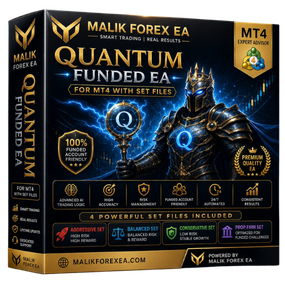
Quantum Funded EA: 5 Powerful Benefits for Prop Firm Automated Trading
Prop firm trading has become an increasingly popular way for traders to access larger trading accounts without committing substantial amounts of personal capital. However, passing an evaluation and maintaining a funded account requires more than simply finding profitable trades. Traders must also respect strict risk limits, control drawdown, manage exposure, and maintain disciplined execution.
Quantum Funded EA is an automated Expert Advisor developed with a risk-management-first approach for prop firm challenges and funded trading accounts. Rather than focusing on aggressive market participation, the system is designed around structured execution, capital protection, and disciplined risk control.
The Expert Advisor monitors market conditions and waits for its predefined requirements to align before considering a trading opportunity. Factors such as market conditions, volatility, trend direction, and configured risk limits can form part of this systematic decision-making process.
For traders interested in automating parts of their prop firm trading workflow, this approach provides a structured framework where risk control remains an important part of every trading decision.
What Is Quantum Funded EA?
Quantum Funded EA is an automated trading Expert Advisor designed primarily for traders participating in prop firm evaluations or managing funded trading accounts.
The system operates within the MetaTrader environment and follows programmed trading logic to analyze potential opportunities and manage risk.
Unlike aggressive trading strategies that prioritize frequent market participation, the Expert Advisor is designed around a more selective approach. The objective is to trade when the required market and risk conditions align rather than opening positions simply to remain active.
Its automated workflow may include:
- Continuous market monitoring
- Trend analysis
- Volatility assessment
- Trading opportunity filtering
- Automated trade execution
- Risk limit monitoring
- Position management
- Stop Loss and Take Profit management
- Capital protection controls
This systematic approach may be particularly relevant to prop firm traders because evaluation and funded accounts often operate under specific drawdown and risk restrictions.
However, traders must always verify the individual rules of their chosen proprietary trading firm. No Expert Advisor can automatically guarantee compliance with every firm’s requirements.
How Does Quantum Funded EA Work?
The Expert Advisor follows a structured trading process focused on evaluating market opportunities while keeping risk management at the center of its operation.
Rather than attempting to trade every available market movement, the system waits for conditions that satisfy its programmed trading requirements.
The general workflow includes several stages.
Market Condition Analysis
The system continuously observes market conditions while the MetaTrader platform remains active and connected.
Instead of evaluating price direction alone, the strategy can consider different factors before deciding whether a potential opportunity meets its trading requirements.
The objective is to avoid unnecessary market participation when conditions are considered unsuitable.
Trend and Volatility Evaluation
Trend direction and market volatility can play an important role in determining whether current conditions are appropriate for a potential trade.
Periods of excessive volatility can increase execution risk, while unfavorable market structures may produce lower-quality trading conditions.
By applying predefined filters, the system can take a more selective approach to market participation.
Risk Limit Evaluation
Risk management is particularly important for prop firm trading.
Before executing positions, the system is designed to operate according to configured risk parameters.
Traders should ensure that these settings are appropriate for the specific drawdown, daily loss, and overall risk requirements of their prop firm account.
Automated Trade Execution
When the required trading conditions and risk parameters align, the Expert Advisor can execute a position according to its programmed strategy.
Automated execution can reduce the need for manual order placement and help maintain consistency in how predefined trading rules are applied.
Automated Position Management
Once a position is active, the system can continue monitoring and managing the trade according to configured parameters.
This may include Stop Loss and Take Profit functionality designed to provide structured trade management.
Actual trading results and execution quality will still depend on factors such as broker conditions, spreads, slippage, market volatility, and network connectivity.
5 Powerful Features and Benefits
1. Risk-Management-First Trading Approach
One of the defining characteristics of the system is its focus on risk control.
Prop firm traders often operate under strict limits regarding daily losses and maximum account drawdown. A single period of excessive risk can potentially result in an evaluation failure or funded account breach.
For this reason, disciplined risk management is essential.
The Expert Advisor is designed around a philosophy that prioritizes capital protection before market opportunity.
This approach can help traders maintain a more structured trading process where risk considerations remain part of the decision-making framework.
However, traders should never assume that using an Expert Advisor automatically prevents account violations. Risk parameters must be configured correctly for the rules of the specific prop firm being used.
2. Designed for Prop Firm Trading Environments
The system is specifically positioned for prop firm challenges and funded trading accounts.
These environments can differ significantly from standard personal trading accounts because traders may need to follow requirements involving:
- Maximum daily loss
- Maximum overall drawdown
- Position exposure
- Trading restrictions
- News trading rules
- Weekend holding policies
- Expert Advisor restrictions
Because rules vary between firms and account types, traders must review their prop firm’s current terms before using automated software.
An Expert Advisor that is suitable for one firm may not necessarily comply with another firm’s rules.
The system’s focus on controlled risk and structured execution can nevertheless provide a useful framework for traders seeking automation within prop firm environments.
3. Selective Market Analysis and Trade Filtering
Trading more frequently does not automatically produce better results.
The Expert Advisor is designed to take a selective approach by waiting for market conditions and risk requirements to align before participating.
Potential factors considered by the strategy may include:
- Market conditions
- Trend direction
- Volatility
- Risk limits
- Trading setup requirements
This type of filtering can help reduce unnecessary market participation.
The objective is not to open positions simply because the market is active but to follow predefined rules consistently.
Some trading sessions may therefore produce multiple opportunities, while others may produce limited or no trading activity.
4. Conservative Risk and Position Management
Position sizing can have a significant impact on the long-term survival of a trading account.
This is particularly important for prop firm traders operating under fixed drawdown limits.
Conservative risk settings can help reduce the financial impact of individual losing trades and periods of unfavorable market conditions.
A conservative approach of approximately 1% risk or less per trade is commonly recommended in the available product guidance, although traders may need to use even lower risk depending on their prop firm’s rules and personal strategy.
Trade management may also include predefined Stop Loss and Take Profit functionality.
These tools can help provide a structured framework for managing individual positions.
However, Stop Loss orders cannot guarantee execution at an exact price under all market conditions. Slippage and gaps can still occur.
5. MT5 and Strategy Tester Compatibility
The Expert Advisor is designed for the MetaTrader 5 environment and is compatible with the MT5 Strategy Tester.
Strategy testing can be an important part of evaluating an automated trading system before using it on a prop firm account.
Historical testing can help traders:
- Review strategy behavior
- Explore different settings
- Evaluate risk parameters
- Analyze drawdown characteristics
- Understand trading frequency
- Compare different market conditions
However, backtesting has limitations.
Historical results cannot guarantee future performance, and live execution may differ because of spreads, slippage, liquidity, commissions, and changing market conditions.
For this reason, traders should consider combining historical testing with forward testing on a demo account before using an Expert Advisor on an active evaluation or funded account.
Risk and Money Management
Risk management is one of the most important considerations for prop firm traders.
Unlike a standard personal trading account, a prop firm evaluation may have strict rules that determine when an account is considered breached.
These requirements can include daily drawdown limits and maximum overall loss limits.
Traders should carefully configure parameters related to:
- Risk per trade
- Lot size
- Stop Loss
- Take Profit
- Maximum exposure
- Position management
- Trading frequency
The available product guidance recommends conservative risk management, with approximately 1% or less risk per trade.
However, the appropriate risk level depends on the specific rules of the prop firm and the trader’s overall strategy.
For example, traders operating under tight daily drawdown limits may decide that substantially less than 1% risk per position is more appropriate.
No automated trading system can guarantee that an account will pass an evaluation or remain funded.
Recommended Trading Environment
Available product guidance recommends a trading environment that includes:
- MetaTrader 5
- M15 to H1 timeframes
- Major Forex currency pairs
- Low trading spreads
- Raw spread account conditions
- Low-latency execution
- Conservative risk settings
- VPS hosting for continuous operation
The exact trading environment should always be selected according to the documentation included with the product.
Broker conditions can also influence automated execution.
Factors such as spreads, commissions, slippage, liquidity, and server latency may affect trading results.
Platform Compatibility
Quantum Funded EA is designed for:
MetaTrader 5 (MT5)
The system is also compatible with the MetaTrader 5 Strategy Tester, allowing traders to evaluate settings using historical market data.
Traders should use the correct MT5 Expert Advisor file and follow the installation instructions provided with their product version.
How to Install Quantum Funded EA
Installing Quantum Funded EA follows the standard MetaTrader 5 Expert Advisor installation process.
Step 1: Open MetaTrader 5
Launch the MT5 trading platform.
Step 2: Open the Data Folder
From the main menu, select:
File → Open Data Folder
Step 3: Open the Experts Directory
Navigate to:
MQL5 → Experts
Step 4: Add the EA File
Copy the provided Expert Advisor file into the Experts directory.
Step 5: Restart MetaTrader 5
Close and restart the platform so that the newly installed Expert Advisor can be recognized.
Step 6: Open the Appropriate Chart
Open the currency pair and timeframe you intend to use.
Major Forex pairs and M15 to H1 timeframes are commonly recommended in the available product guidance.
Step 7: Attach the Expert Advisor
Locate the EA through the Navigator panel and attach it to the appropriate chart.
Step 8: Configure Risk Settings
Carefully review all available trading and risk parameters.
Make sure your configuration is appropriate for your prop firm’s daily and maximum drawdown rules.
Step 9: Enable Algo Trading
Activate algorithmic trading within MetaTrader 5.
Once properly configured, the Expert Advisor can begin monitoring market conditions according to its programmed strategy.
Why Consider an EA for Prop Firm Trading?
Prop firm trading requires discipline.
Traders must not only identify potential opportunities but also remain within strict risk limits.
An automated system may help traders follow predefined rules more consistently and reduce emotional decision-making.
This type of Expert Advisor may appeal to traders who:
- Participate in prop firm challenges
- Manage funded trading accounts
- Prioritize capital protection
- Prefer conservative risk management
- Want automated market monitoring
- Need systematic trade execution
- Want to reduce emotional trading decisions
However, traders should always confirm that automated trading is permitted by their chosen prop firm.
Some firms allow Expert Advisors freely, while others impose restrictions on certain types of automated strategies.
Frequently Asked Questions
Is Quantum Funded EA designed for prop firms?
Yes. The system is positioned as a professional trading framework designed with prop firm challenges and funded accounts in mind.
Which platform does the EA support?
The available official marketplace listing describes the Expert Advisor as an MT5 trading system.
What timeframes are recommended?
M15 to H1 timeframes are recommended in the available product guidance.
Which markets can be traded?
Major Forex currency pairs with low trading spreads are recommended.
What risk level is recommended?
The available guidance recommends conservative risk management, generally around 1% or less per trade. Traders should adjust risk according to their specific prop firm rules.
Can the EA guarantee that I will pass a prop firm challenge?
No. No Expert Advisor or trading strategy can guarantee that a trader will successfully pass an evaluation or maintain a funded account.
Should I use a VPS?
A VPS can help maintain continuous MetaTrader operation and stable connectivity for automated trading.
Should I test the EA before using a funded account?
Yes. Traders should consider backtesting with the MT5 Strategy Tester and forward testing in a demo environment before using an automated strategy on an evaluation or funded account.
Reviews
There are no reviews yet.